Engineering · Maker
Electronics & Arduino
Write an Arduino sketch and run it on a 3D board — no hardware needed.
Also on your phone · Learn Electronics & Arduino
The course
18 worlds · 264 lessons

World 1 · Foundations
FREEElectricity from absolute zero- 01What is electricity?Electrons, charge and flow · 5 min
- 02Voltage, Current, ResistanceThe three core quantities · 7 min
- 03Your first circuitBattery → resistor → LED · 7 min
- 04Ohm’s Law in practiceV = I × R · 8 min
- 05Reading resistor colorsDecode the color bands · 6 min
- 06Inside the atomProtons, neutrons and free electrons · 6 min
- 07Electric chargePositive, negative and attraction · 5 min
- 08Conductors vs insulatorsWhat lets current through · 6 min
- 09Current, up closeAmps and the direction of flow · 6 min
- 10Voltage, up closeThe pressure that drives current · 6 min
- 11Resistance, up closeOpposing the flow · 6 min
- 12Rearranging Ohm’s LawSolve for V, I or R · 7 min
- 13The closed loopWhy a circuit must complete · 5 min
- 14Batteries & cellsWhere the voltage comes from · 6 min
- 15Cells in seriesStacking voltage · 6 min
- 16The LEDA one-way light · 6 min
- 17Current-limiting resistorsProtecting the LED · 7 min
- 18The resistor color codeReading every band · 7 min
- 19Power & wattsHow fast energy is used · 7 min
- 20Energy & your billWatts over time · 6 min
- 21Short circuitsWhen current finds a shortcut · 6 min
- 22Open circuitsA break in the path · 5 min
- 23SwitchesOpening and closing on demand · 5 min
- 24Ground & referenceThe zero-volt baseline · 6 min
- 25Schematic symbolsThe language of circuits · 6 min
- 26Using a multimeterVolts, amps and ohms · 7 min
- 27Ammeter vs voltmeterSeries and parallel meters · 6 min
- 28AC vs DCTwo kinds of current · 6 min
- 29FrequencyCounting the cycles · 6 min
- 30Static electricityCharge at rest · 5 min
- 31ElectromagnetismCurrent makes magnetism · 6 min
- 32A taste of parallelMore than one path · 6 min
World 2 · Circuits
PROBuild and combine components- 01Series vs ParallelTwo ways to wire components · 6 minPRO
- 02The breadboardPrototype without soldering · 5 minPRO
- 03Switches & buttonsControlling the flow · 5 minPRO
- 04The voltage dividerMake any voltage you need · 6 minPRO
- 05Series circuits in depthOne path, shared current · 6 minPRO
- 06Parallel circuits in depthMany paths, shared voltage · 7 minPRO
- 07Choosing series or parallelWhen to use which · 6 minPRO
- 08Building on a breadboardFrom schematic to board · 6 minPRO
- 09Momentary vs latchingTwo kinds of switch · 5 minPRO
- 10Pull-up resistorsDefaulting an input HIGH · 6 minPRO
- 11Pull-down resistorsDefaulting an input LOW · 5 minPRO
- 12Voltage divider mathSolving for Vout · 7 minPRO
- 13The potentiometerAn adjustable divider · 6 minPRO
- 14The LDR (light sensor)Resistance that follows light · 6 minPRO
- 15The thermistor (temp sensor)Resistance vs temperature · 6 minPRO
- 16CapacitorsStoring charge · 7 minPRO
- 17What capacitors are forSmoothing and timing · 6 minPRO
- 18The diodeA one-way valve · 6 minPRO
- 19The LED as a diodeLight from one-way current · 6 minPRO
- 20Rectification introTurning AC into DC · 6 minPRO
- 21Transistor as a switchA tiny signal controls a big load · 7 minPRO
- 22Transistor as amplifierMaking signals bigger · 7 minPRO
- 23The relayAn electrically-driven switch · 6 minPRO
- 24Logic gatesAND, OR, NOT · 7 minPRO
- 25Combining gatesNAND, NOR and beyond · 6 minPRO
- 26RC timingResistor + capacitor delays · 7 minPRO
- 27Current limiting in depthSizing the series resistor · 7 minPRO
- 28Kirchhoff’s voltage lawVoltages around a loop · 6 minPRO
- 29Kirchhoff’s current lawCurrents at a junction · 6 minPRO
- 30Measuring a dividerProbe Vout with a meter · 6 minPRO
- 31Decoupling capacitorsKeeping the rail clean · 6 minPRO
- 32Troubleshooting a dead circuitA debugging checklist · 7 minPRO
World 3 · Arduino 101
PROWrite code that controls hardware- 01Meet Arduino UnoThe board and its pins · 5 minPRO
- 02Blink — your first sketchTurn an LED on and off · 8 minPRO
- 03Digital output: traffic lightDrive three LEDs in sequence · 10 minPRO
- 04Digital input: a buttonReact to the real world · 10 minPRO
- 05The Serial MonitorPrint and debug · 8 minPRO
- 06The Arduino IDE & sketchWhere code becomes hardware · 6 minPRO
- 07Blink speed & timingdelay() controls the beat · 7 minPRO
- 08LED_BUILTINThe onboard LED constant · 6 minPRO
- 09Two LEDs alternatingBack-and-forth flasher · 8 minPRO
- 10Traffic light with helperReuse code with a function · 10 minPRO
- 11LED chase (array + for)Light pins one after another · 10 minPRO
- 12Knight Rider scannerBounce the light back · 11 minPRO
- 13Variables & mathStore and compute values · 8 minPRO
- 14if / else decisionsBranch on a condition · 8 minPRO
- 15for loopsRepeat a known number of times · 8 minPRO
- 16while loopsRepeat until a condition fails · 8 minPRO
- 17Writing functionsName a block of code · 9 minPRO
- 18Blink without delay (millis)Do many things at once · 11 minPRO
- 19Button controls an LEDInput drives output · 9 minPRO
- 20Why INPUT_PULLUP?Floating pins & pull resistors · 7 minPRO
- 21Toggle on each pressEdge detection basics · 11 minPRO
- 22Debouncing a buttonTame the bounce · 8 minPRO
- 23Button press counterCount and report · 10 minPRO
- 24Two buttons, up & downMultiple inputs · 11 minPRO
- 25Serial: print vs printlnSame line or new line · 7 minPRO
- 26Serial number basesDEC, HEX & BIN · 8 minPRO
- 27Random blinksUnpredictable timing · 8 minPRO
- 28Digital vs analog pinsKnow your pin types · 7 minPRO
- 29do / while loopsRun at least once · 8 minPRO
- 30Capstone: non-blocking traffic lightPut it all together · 12 minPRO

World 4 · Arduino Projects
PROPWM, sensors, servos & more- 01Fading an LED (PWM)analogWrite & duty cycle · 10 minPRO
- 02Reading a potentiometeranalogRead & map · 10 minPRO
- 03Servo controlMove a motor to an angle · 12 minPRO
- 04Buzzer & toneMake some noise · 9 minPRO
- 05Automatic night-lightSense light, react · 12 minPRO
- 06How PWM really worksDuty cycle & average voltage · 8 minPRO
- 07Breathing LEDSmooth fade with sine · 10 minPRO
- 08RGB LED colour mixingThree channels, any colour · 11 minPRO
- 09RGB rainbow fadeSmoothly cycle the colour wheel · 12 minPRO
- 10Mood lampRandom RGB colours · 9 minPRO
- 11Inside a servoPulse width = angle · 8 minPRO
- 12Servo sweepPan back and forth · 9 minPRO
- 13Smooth servo steeringPot → angle, with easing · 11 minPRO
- 14Play a melodyNotes & durations in arrays · 12 minPRO
- 15Police sirenSweeping tone alarm · 9 minPRO
- 16Reaction-time gameButton + LED + millis · 13 minPRO
- 17Serial bar meterVisualise a value with text · 10 minPRO
- 18How analog sensors workResistance → voltage → number · 8 minPRO
- 19Light-level loggerStream readings to Serial · 9 minPRO
- 20Light thereminWave your hand, change the pitch · 11 minPRO
- 21Reading temperatureTMP36 → degrees Celsius · 11 minPRO
- 22ThermostatTemp → heater LED, with hysteresis · 12 minPRO
- 23DC motor speed controlPWM a motor with the pot · 10 minPRO
- 24Smart fan controllerTemperature → fan speed · 12 minPRO
- 25Ultrasonic distancePing-echo ranging · 11 minPRO
- 26Parking sensorCloser = faster beeps · 13 minPRO
- 27Radar sweepServo scans, reports distance · 13 minPRO
- 28Pedestrian crossingTraffic light + request button · 13 minPRO
- 29Two-button dimmerUp / down brightness · 11 minPRO
- 30Combination lockA secret button sequence · 14 minPRO
World 5 · Power & Regulation
PROFeeding a circuit properly- 01Where power comes fromWall, battery, USB, sun · 6 minPRO
- 02Reading a power ratingWhat "5 V 2 A" promises · 6 minPRO
- 03Battery capacity & runtimeWhat mAh really buys you · 7 minPRO
- 04Mains & the transformerA ratio, and a gap · 7 minPRO
- 05The bridge rectifierBoth halves, one direction · 7 minPRO
- 06Smoothing & rippleFilling in the gaps · 7 minPRO
- 07The linear regulatorHolding 5 V, whatever happens · 7 minPRO
- 08Why regulators run hotThe volts you throw away · 8 minPRO
- 09The buck converterStepping down without the heat · 8 minPRO
- 10The boost converterMore volts than you have · 7 minPRO
- 11Choosing a regulatorLinear, LDO or switching · 7 minPRO
- 12Powering an Arduino properlyThree ways in, two of them safe · 8 minPRO
World 6 · Op-Amps & Analog Blocks
PROSmall signals, made useful- 01What an op-amp doesA difference, made enormous · 7 minPRO
- 02The two golden rulesAlmost every circuit falls out of these · 7 minPRO
- 03The comparatorFeedback removed on purpose · 7 minPRO
- 04Hysteresis and the Schmitt triggerTwo thresholds beat one · 8 minPRO
- 05The bufferGain of one, and worth every penny · 6 minPRO
- 06The non-inverting amplifierGain = 1 + Rf / Rg · 8 minPRO
- 07The inverting amplifierGain = −Rf / Rin, and a virtual earth · 8 minPRO
- 08The summing amplifierAdding voltages with resistors · 7 minPRO
- 09The difference amplifierKeeping the gap, discarding the rest · 8 minPRO
- 10Single supply and virtual groundInventing a middle to swing around · 8 minPRO
- 11Where the golden rules stopOffset, rails and bandwidth · 8 minPRO
- 12Amplifying a sensor signalMillivolts into something a pin can read · 9 minPRO
World 7 · Practical Design
PROChoosing values, not just knowing parts- 01Why 4.7 kΩ and never 5 kΩPreferred values and tolerance · 6 minPRO
- 02How much energy a capacitor holdsHalf C V squared, and why the volts matter most · 6 minPRO
- 03The Zener diodeA diode that is useful backwards · 7 minPRO
- 04The MOSFET as a switchVoltage in, almost no current, very little heat · 7 minPRO
- 05RC filtersLetting the slow through, or the fast · 7 minPRO
- 06ReactanceResistance that depends on frequency · 6 minPRO
- 07The 555 timerTwo resistors, one capacitor, any frequency you like · 8 minPRO
- 08Voltage drop in the wiresWhy it works on the bench and not on the robot · 6 minPRO
- 09How wide does a PCB track need to be?Copper, current and a temperature rise you choose · 7 minPRO
World 8 · Screens & I²C
PROPutting words on a display, and the two-wire bus- 01The 16×2 character displayNot a screen — a grid of letter-shaped boxes · 6 minPRO
- 02Six wires to a screenRS, EN and four data lines — and why four, not eight · 7 minPRO
- 03The cursor is the whole APIprint appends, setCursor aims, and nothing wraps · 6 minPRO
- 04Why your number leaves a 0 behindThe display never erases anything you did not erase · 6 minPRO
- 05Putting a measurement on the screenA sensor, a label, and how often to redraw · 7 minPRO
- 06The display that shows nothingThree causes, in the order worth checking · 6 minPRO
- 07I²C: two wires, many devicesHow a bus replaces a pin per part · 7 minPRO
- 08The same display, on two wiresWhat the I²C backpack actually does · 6 minPRO
- 09A clock that keeps time without youAn I²C real-time clock, on the display · 9 minPRO
World 9 · Sensors
PROTemperature and humidity, a joystick, a rotary encoder- 01What a sensor gives youA voltage, a level, or a message · 7 minPRO
- 02The DHT22: temperature and humidityOne wire, two readings, and the value that means failed · 8 minPRO
- 03Feels like: the heat indexA derived value, and the argument that decides its unit · 7 minPRO
- 04The thumb joystickTwo potentiometers, a button, and a dead zone · 8 minPRO
- 05The rotary encoderTwo switches a quarter-cycle apart, read by polling · 9 minPRO
- 06The encoder on an interruptCatch every edge while the loop is busy · 9 minPRO
- 07Smoothing noisy readingsA moving average, and what it costs · 8 minPRO
- 08Capstone: a climate displayA DHT22 on the 16×2, with an encoder to change screens · 10 minPRO

World 10 · Pixels & Digits
PROA seven-segment digit and a strip of addressable LEDs- 01The seven-segment digitSeven LEDs in the shape of an 8 · 6 minPRO
- 02A digit is a byteOne number per digit, and bitRead to unpack it · 7 minPRO
- 03Counting, and a dice you rollThe table, a remainder, a button and random() · 8 minPRO
- 04NeoPixels: one wire, many LEDsAddressable LEDs, a buffer, and show() · 8 minPRO
- 05Colour by angle: HSVColorHSV, and why a real strip needs gamma32 · 9 minPRO
- 06The power budget60 mA a pixel, and why the strip gets its own supply · 8 minPRO
- 07Capstone: a level meterA knob, a bar on the strip, the number on the digit · 10 minPRO

World 11 · Internet of Things
PROWi-Fi, HTTP and a cloud that answers back- 01What "connected" actually meansA board, a radio, a router and a server · 7 minPRO
- 02Joining a networkWiFi.begin, and waiting for it with a deadline · 8 minPRO
- 03Asking for something: HTTP GETbegin, GET, getString, end — and the status number · 8 minPRO
- 04Reading an answer by handindexOf, substring and toFloat on a JSON reply · 9 minPRO
- 05A switch you are not standing next toPoll the cloud, drive a pin · 8 minPRO
- 06Sending data: HTTP POSTPut a reading in the body, read the verdict · 8 minPRO
- 07Asking politelyRate limits, and polling with millis() · 9 minPRO
- 08Capstone: a connected weather stationYour reading goes up, the forecast comes down · 12 minPRO
World 12 · Motion
PROServos, DC motors, steppers — and the drivers between them- 01Three ways to make things moveAn angle, a speed, or a number of steps · 8 minPRO
- 02Why a motor can’t hang off a pinCurrent, back-EMF and the flyback diode · 7 minPRO
- 03The H-bridgeFour switches, two inputs, both directions · 9 minPRO
- 04Speed and direction togetherPWM on one input — and why you ramp instead of slam · 9 minPRO
- 05The stepper motorCoils, 2048 steps, and a library that counts · 10 minPRO
- 06Homing with a limit switchGiving a stepper a zero it can trust · 9 minPRO
- 07Pan and tilt with a joystickTwo servos, a speed instead of an angle, and a dead zone · 9 minPRO
- 08Capstone: a dial-controlled jointAn encoder sets the target, a stepper follows, a switch keeps it honest · 12 minPRO

World 13 · Digital Logic
PROBinary, gates that add, and the decoder behind every display- 01Why digital means two statesVoltage bands, and the margin that makes noise harmless · 8 minPRO
- 02Binary is place valueEach bit is worth twice the one to its right · 10 minPRO
- 03Hexadecimal: one digit per nibbleWhy programmers write 0xB4 instead of 180 · 7 minPRO
- 04De Morgan’s lawsTurning an AND into an OR by inverting everything · 11 minPRO
- 05Parity: XOR counts the 1sHow one extra bit catches a flipped one · 7 minPRO
- 06The half adderAdding two bits with one XOR and one AND · 10 minPRO
- 07The full adderA carry in, a carry out — and columns that chain · 12 minPRO
- 08Comparing two numbers in logicEqual means every column matches · 7 minPRO
- 09Decoding a number for a displayFour bits in, seven segments out · 12 minPRO
- 10Capstone: a 2-bit adding machineToggles in, two full adders, a digit out · 12 minPRO
World 14 · Talk to your Arduino
PROReading what you type into the Serial Monitor- 01The line that goes the other wayavailable(), read(), and one byte at a time · 7 minPRO
- 02From characters to a lineCollecting bytes until the newline arrives · 8 minPRO
- 03Reading a numberparseInt, and the 0 that nobody typed · 8 minPRO
- 04A tiny command languagereadStringUntil, and words that do things · 8 minPRO
- 05A command shellOne sketch that takes orders for an LED and a servo · 10 minPRO
World 15 · Soldering & Real Builds
PROMaking a circuit permanent, and fixing it when it goes wrong- 01Tools, heat and safetyWhat you need, and the habits that keep it safe · 8 minPRO
- 02A good joint, and a bad oneReading what happened from the shape · 8 minPRO
- 03Soldering a through-hole partHeat, feed, solder away, iron away, trim · 8 minPRO
- 04Desoldering and fixing mistakesBraid, the pump, and patience with the pads · 7 minPRO
- 05From breadboard to a board that lastsPerfboard, stripboard, and planning the layout first · 9 minPRO
World 16 · Raspberry Pi & GPIO
PROA whole computer that can switch a wire- 01What is a Raspberry Pi?A computer the size of a card · 5 minPRO
- 02The GPIO headerForty pins, and the two numbers they each have · 7 minPRO
- 03Your first blinkFour lines that move a real pin · 8 minPRO
- 04Why the LED needs a resistor3.3 volts, and what a pin can actually give · 7 minPRO
- 05Sequences and timingLists, loops and a traffic light · 8 minPRO
- 06PWM: brightness, not just onSwitching fast enough to fool the eye · 8 minPRO
- 07Reading a buttonTurning a pin into an input · 8 minPRO
- 08Making soundThe buzzer, and beeping in patterns · 6 minPRO
- 09Keeping stateVariables that survive the loop · 7 minPRO
- 10When it breaksReading errors instead of guessing · 7 minPRO
World 17 · Build Projects
PROGuided builds: wire a real device step by step, then make it run- 01Turn On Your First LEDOne LED, one line of code · 4 minPRO
- 02Your First BlinkOn, off, repeat · 4 minPRO
- 03Traffic LightRed, yellow, green — one timed cycle · 12 minPRO
- 04Distance AlarmUltrasonic echo → centimetres → alarm · 15 minPRO
- 05Night LightLight sensor → PWM brightness · 14 minPRO
- 06Morse BeaconLED + buzzer timing pattern · 10 minPRO
- 07Candle FlickerRandom PWM glow · 8 minPRO
- 08Heartbeat LEDExpressive PWM timing · 8 minPRO
- 09RGB Mood LampThree PWM channels, many colors · 12 minPRO
- 10Fan Speed ControllerPotentiometer → PWM motor · 12 minPRO
- 11Servo GaugeAnalog dial → servo angle · 13 minPRO
- 12Temperature WarningTemperature sensor → alert · 15 minPRO
- 13Plant Water MeterSoil dial → status LEDs · 13 minPRO
- 14Sunrise AlarmPWM fade + buzzer cue · 12 minPRO
- 15Parking AssistantUltrasonic distance → beep rate · 16 minPRO
- 16Button-Controlled LampDigital input → digital output · 10 minPRO
- 17Dimmer KnobPotentiometer → PWM brightness · 11 minPRO
- 18DoorbellButton → buzzer tone · 11 minPRO
- 19Breathing LEDPWM ramps with a for loop · 12 minPRO
- 20Light ThereminLight sensor → buzzer pitch · 13 minPRO
- 21Alternating BlinkersTwo LEDs, always opposite · 10 minPRO
- 22Cooling FanTemperature → PWM motor · 14 minPRO
- 23Barrier GateButton → servo position · 13 minPRO
- 24Distance ThereminEcho time → distance → pitch · 12 minPRO
- 25LCD ThermometerDHT22 → LCD readout · 16 minPRO
- 26Electronic Dicerandom() → segment patterns · 15 minPRO
- 27NeoPixel Level MeteranalogRead → how many pixels · 14 minPRO
- 28Stepper Seconds HandStepper.h, steps per revolution · 15 minPRO
- 29Joystick Camera PanAnalog stick → rate control · 15 minPRO
- 30Volume KnobEncoder clicks → counter → display · 18 minPRO
- 31Desk ClockDS3231 RTC → LCD · 18 minPRO
- 32Greenhouse LoggerDHT22 + Wi-Fi → POST /log · 18 minPRO
- 33Remote LampWi-Fi polling → GET /switch · 15 minPRO
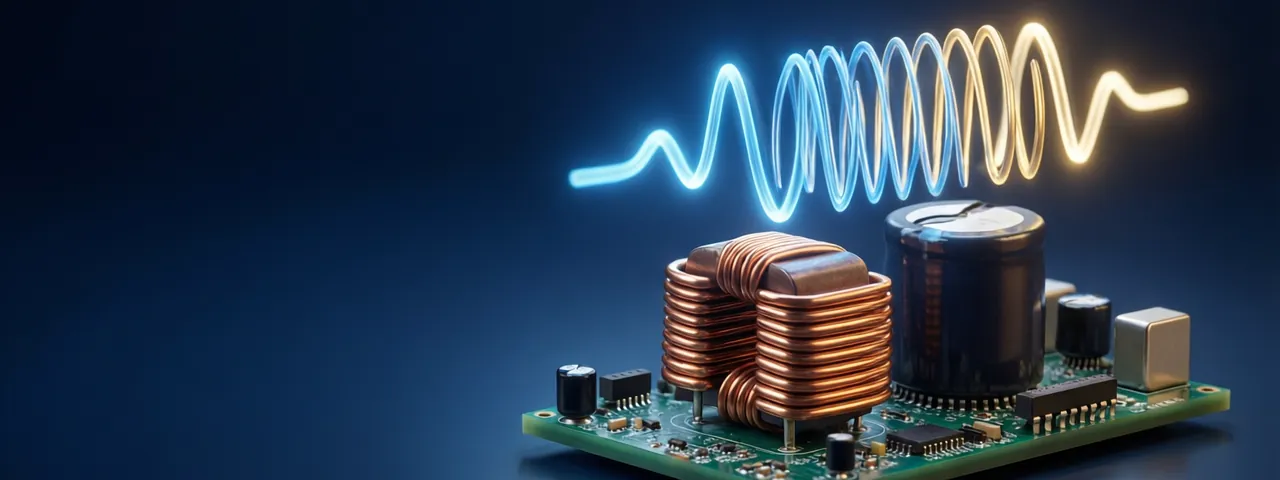
World 18 · Circuits & Signals
PRORC and RLC circuits, op-amps and the oscilloscope- 01RC charging and the time constantMeasure τ = RC with an oscilloscope cursor · 10 minPRO
- 02The RC low-pass filterFind the −3 dB frequency on the scope · 10 minPRO
- 03Series RLC: resonance and ringingTune C for 1 kHz, then damp the ringing · 10 minPRO
- 04Op-amp amplifiers and clippingSet a gain of −10 and +10 without clipping · 10 minPRO
Read first
All guides →Guides for Electronics & Arduino
 Explainer
Circuits for KidsCircuits for Kids: A Parent’s Guide to Learning ElectricityWhat a 6–10 year old does in Circuits for Kids: wiring batteries, lights, buzzers and motors on a virtual bench, plus tips for talking about it at home.
 Explainer
Code GardenCode Garden: A Parent’s Guide to Block Coding and PythonHow children aged 6–10 learn to code by snapping blocks together in Code Garden, and how each block turns into real Python. Privacy facts and tips for parents.
 Explainer
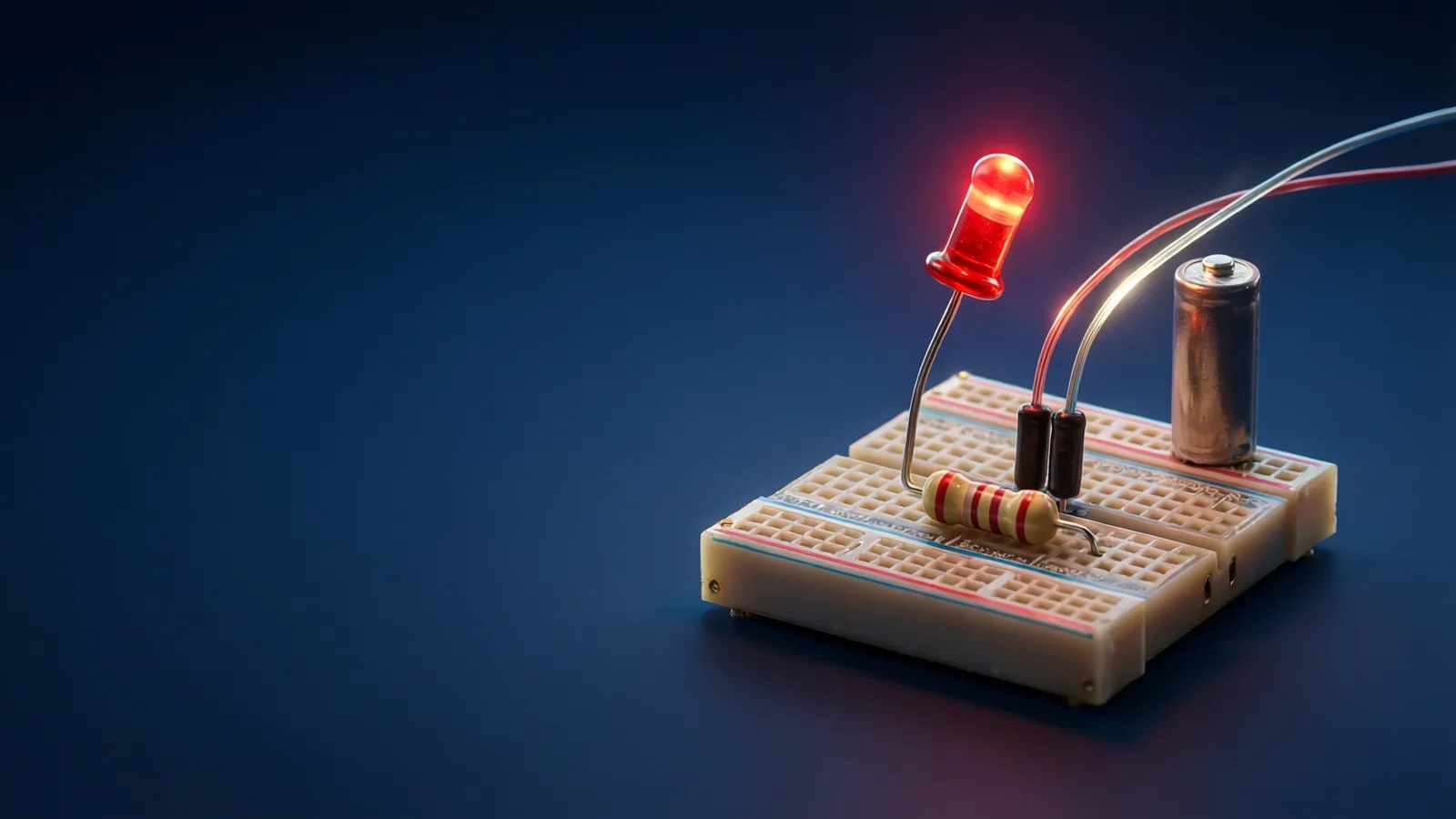
Electronics & ArduinoOhm’s Law Explained: Voltage, Current and LED ResistorsLearn what voltage, current and resistance mean, how Ohm’s law links them, and how to pick the resistor that protects an LED. Includes a live 3D circuit lab.